
 feedshift docs
feeds
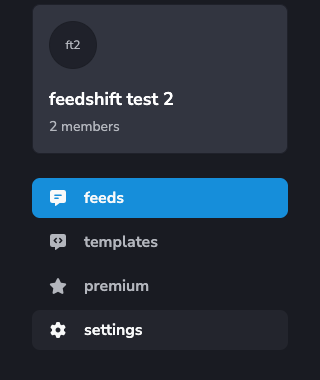
every feed configured in this server, in one list. the home base for adding, finding, and opening feeds.
add a feed
press add feed + (top right). a small dialog opens.
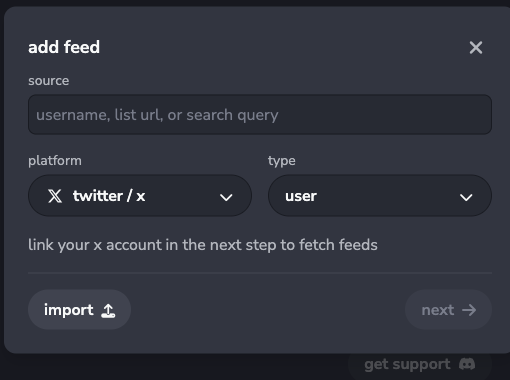
- type the source. for x/twitter that's a handle, list url, or a search query
- pick the platform (x, bluesky, rss, ...)
- pick the type (user, list, search, ...) where it applies
- press next and pick a destination channel
new feeds inherit defaults from the server template for that platform, so most of the work is a one-time setup there.
follow a few accounts at once
paste handles comma separated in the source field (alice, bob, charlie). the dialog adds one feed per handle, all to the same channel with the same settings. handy when seeding a new server.
import a feed config
import on the source step accepts a json file exported from another feed. you still pick the destination channel after, so the import works across servers.
find a feed in the list
once you have more than a handful of feeds, the toolbar is your friend.
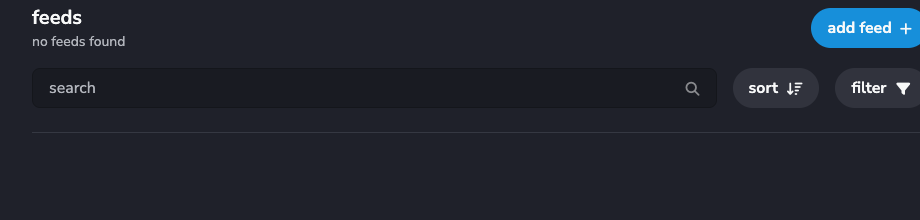
- search matches on source name and handle
- sort orders by recency, name, or status
- filter narrows by platform, status, or tag
each card shows the source, the channel, and whether it's active (posts are flowing) or inactive (the source has gone quiet).

click any card to open configure feed.
you hit the feed limit
if add feed + is greyed out, you've used up the slots in your plan. the page shows a banner.

press upgrade to bump the limit. subscribing to premium or pro gets you a bigger allowance for the server. limits are per-server, so each server has its own count.